Number card options
You can use the number card options to improve the display of large values, customise the number representation and gain more dashboard space.
From the Tile Editor for a Number card, go to the Options section.
Abbreviated counts on number cards
You can abbreviate the count on a number card.
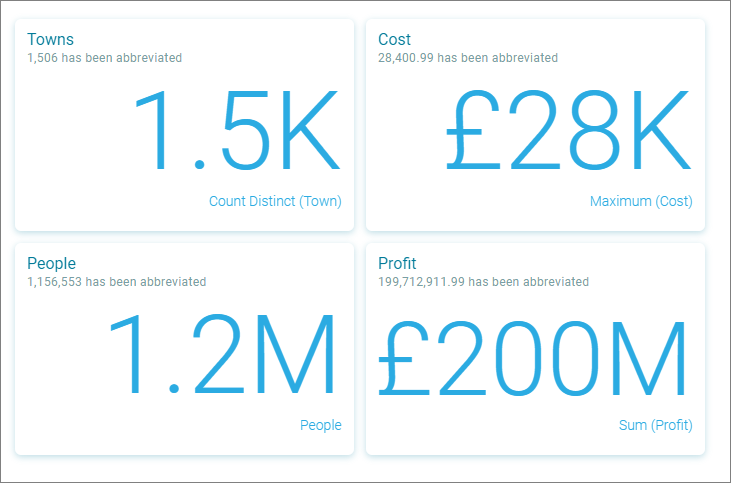
- Select the Abbreviate count check box to enable this feature.
The following abbreviations are applied:
- 1 => 1
- 21 => 21
- 321 => 321
- 4321 => 4.3K
- 54321 => 54K
- 654321 => 654K
- 7654321 => 7.7M
- 87654321 => 88M
- 987654321 => 988M
- 1987654321 => 2B
Set the maximum number of decimal spaces
- Set the Apply maximum number of decimal spaces check box.
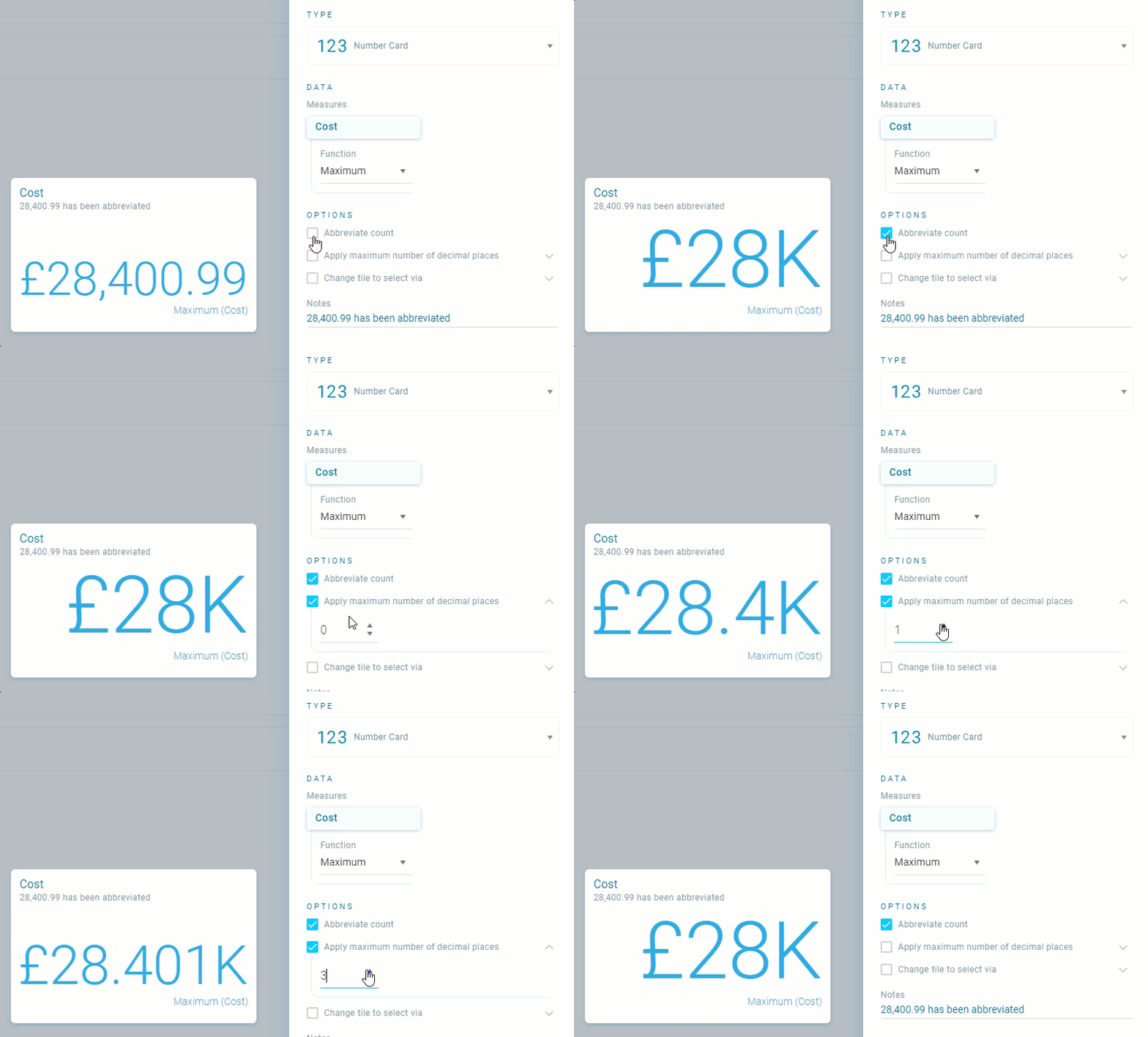
- Use the cell to enter a value, or the Increase and Decrease arrows, to adjust the number of decimal places.
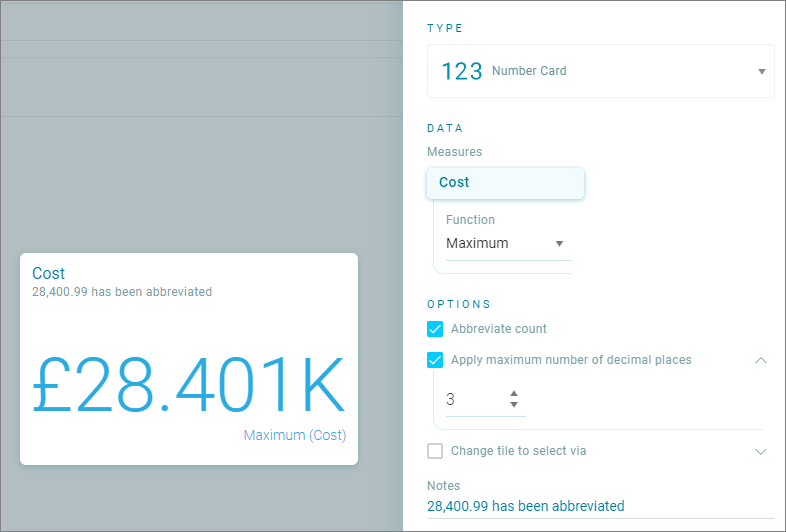
This also works when an abbreviation has been applied, for example:
- 28,400.99 displays as 28K when abbreviated.
- Setting the number of decimal spaces to 3 displays 28,401K.
Note
Currencies display in the locale's natural format (normally 2 decimal places).