Time markers
Time markers allow you to look for defined behaviours that can occur at any point in a person's transactional history, provided they fall within a particular elapsed time period.
The behaviour must be on a single variable - on a single transactional table - somewhere in a transaction sequence.
Example use cases include:
- Searching for a specific sequence of results in a particular set of time periods
- Identifying people who made one purchase per quarter for four successive quarters
- Analysing donors who made a one-off donation and later transitioned to a regular giving pattern
Scenario 1
Identify people who have exactly two United States holidays within one six‑month period, followed by two additional United States holidays in the next six‑month period.
To get started:
-
Create the Pattern Match
- Open a new Pattern Match aggregation expression.
- Order the records by Booking Date.
- Select Destination as the pattern match selector variable.
-
Configure the Pattern Match
- Set the Pattern Match Type to Manual.
- Click Set Pattern.
- Enter a pattern name - here P1.
-
Define Pattern Values
-
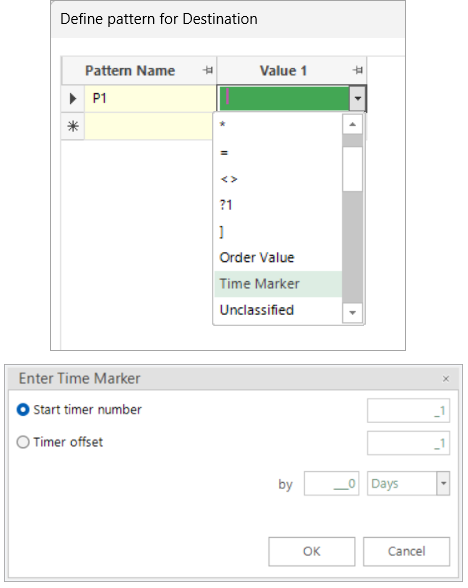
Value 1
- Select Time Marker, then click Enter.
- Leave the default settings (Start timer number 1) and click OK.
-
Values 2 and 3
- Select United States for both values.
-
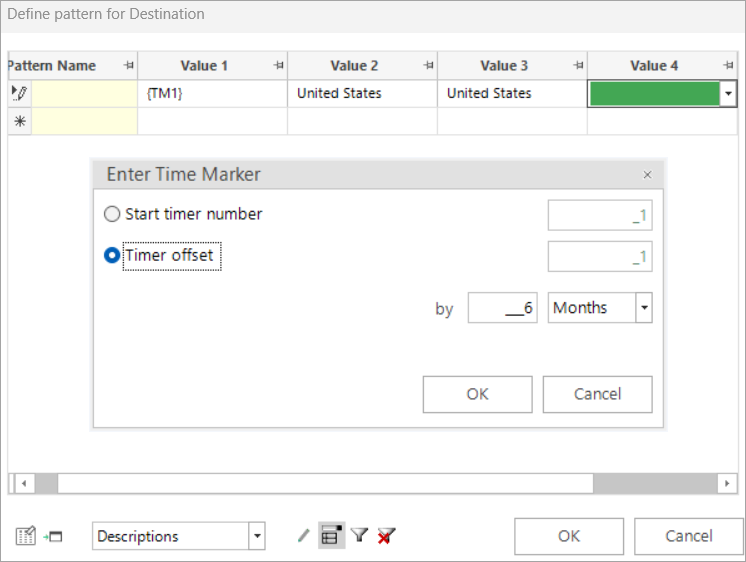
Value 4
- Select Time Marker.
- Set the Timer offset to 6 months.
-
Values 5 and 6
- Select United States for both values.
-
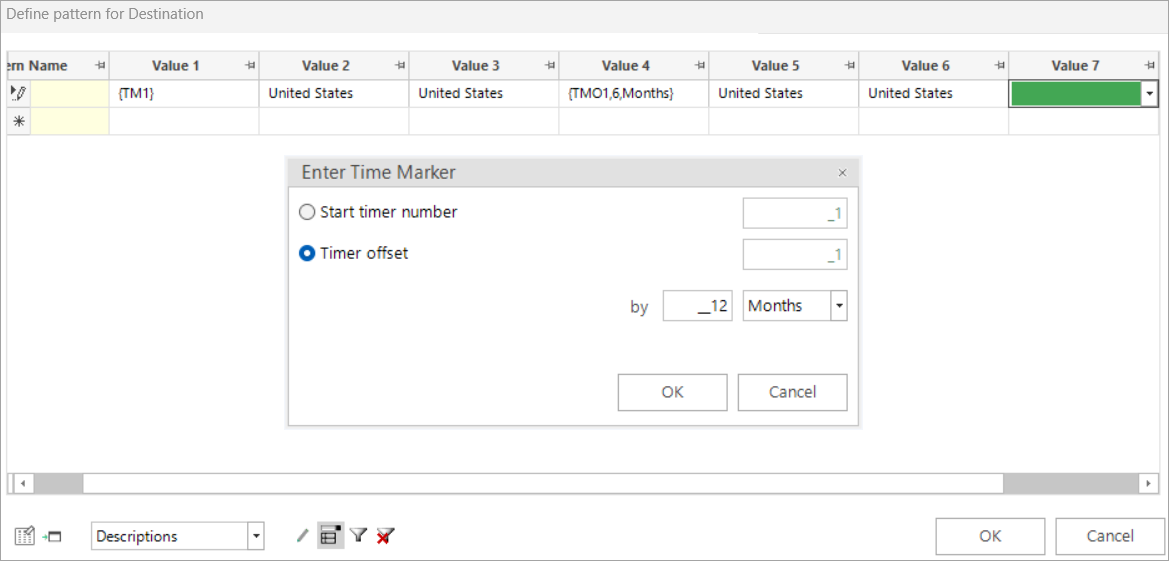
Value 8
- Select Time Marker.
- Set the Timer offset to 12 months.
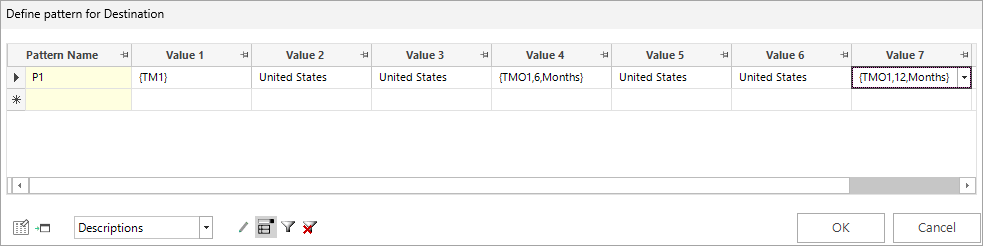
- Click OK.
-
To examine the results:
- Right drag the expression onto the workspace and select Add expression to new selection.
-
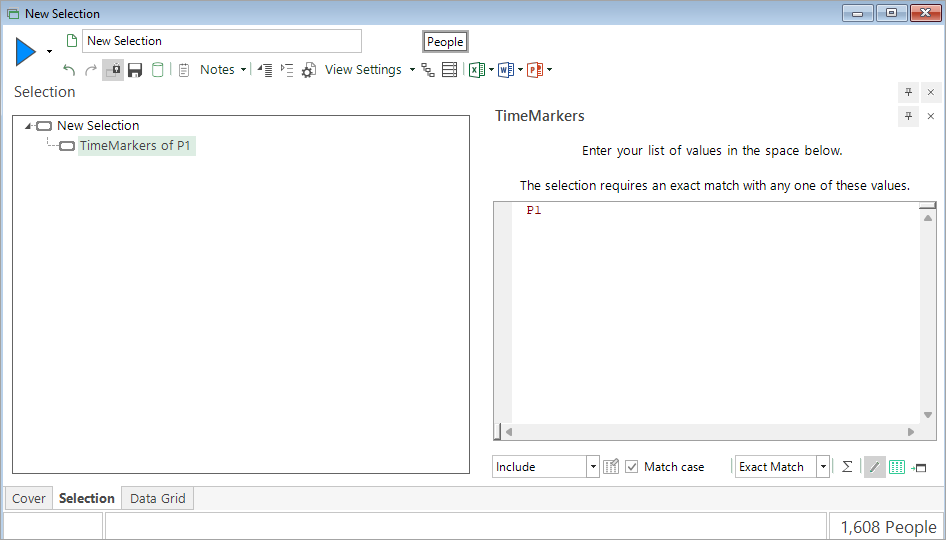
Enter the pattern name P1 and build.
- In this example there are 1,608 people who demonstrate the defined behaviour.
-
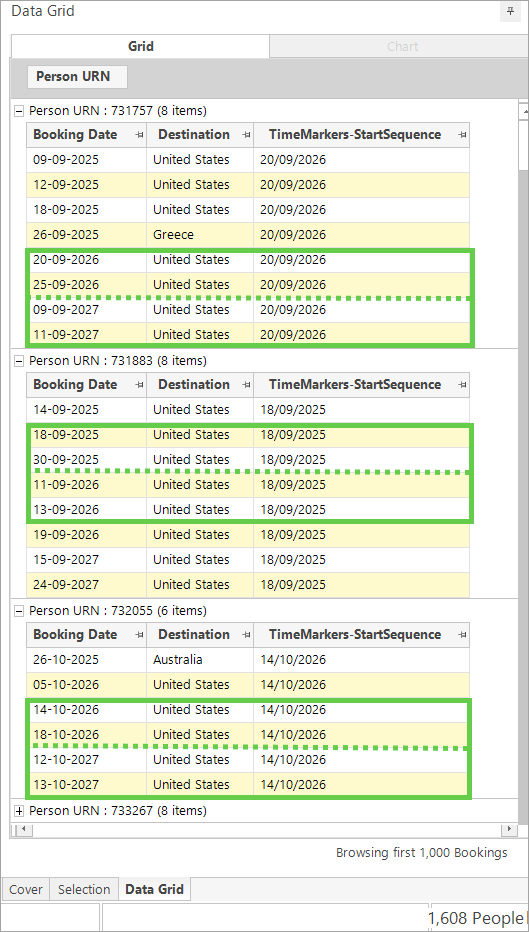
Verify the results using a data grid.
Info
Selecting to return the 'start sequence value', and adding the aggregated expression as a column in the data grid, makes it very easy to identify the transactions which match the defined pattern.
Scenario 2
Find people who have made one holiday booking per quarter for four successive quarterly periods.
In this example, it doesn't matter where the booking is for, only that it satisfies the requirement based on the time criteria. The pattern for achieving this is shown below.

Note
The pattern uses two ? values, not one, immediately after the time marker that starts the timer.
This isn't asking for two bookings within the same quarter:
- The first
?is satisfied by the same transaction that starts the timer - The second
?requires a further, separate booking to also fall within that first quarterly window, before the recurring one-booking-per-quarter pattern applies to the remaining quarters
Using a single ? instead would let the starting transaction satisfy it directly, and the next required booking could then occur at any point up to the following time marker. This can produce a longer gap between the first two bookings than a "successive quarters" pattern intends. Which to use depends on whether you want the one-booking-per-quarter rule enforced from the very first quarter (??), or only from the second required booking onwards (?).
There are 57 people who match this pattern:
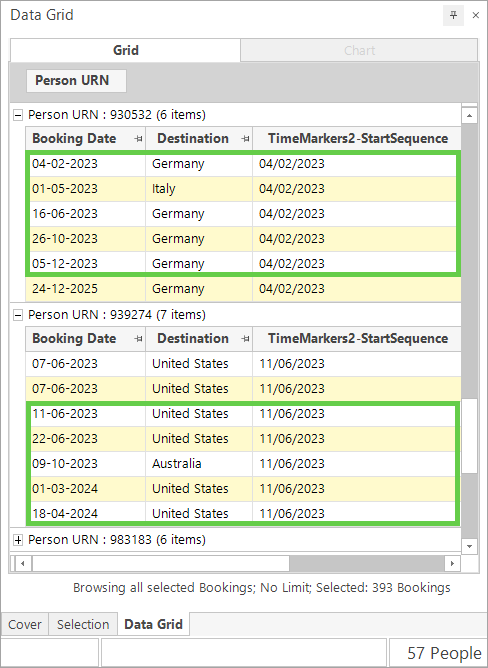
The timer starts when the first transaction happens. For Person URN 930532 this is 04/02/2023. The second transaction needs to have happened by 04/05/2023, the third by 04/08/2023. the fourth by 04/11/2023, and the last by 04/02/2024.
For Person URN 939274, the same principle applies, but the timer starts on 11/06/2023.