Selector and numeric
You can use the on the fly functionality to define a pattern match aggregation on a:
- a selector and value variable together
- a selector variable alone
- a value (numeric or currency) variable alone
The following example demonstrates how you can carry out powerful and insightful pattern match analysis using a selector and numeric variable together.
Scenario
Find people who have been to Australia, then the United States, and then Greece, where the cost of the Australian booking is greater than £1000, with a more than 10% increase in the cost of the US booking and then the Greece booking
To get started:
- Open a new expression window and click on the
 Add Aggregation button and then on the tab entitled Frequency(Bookings) that opens up.
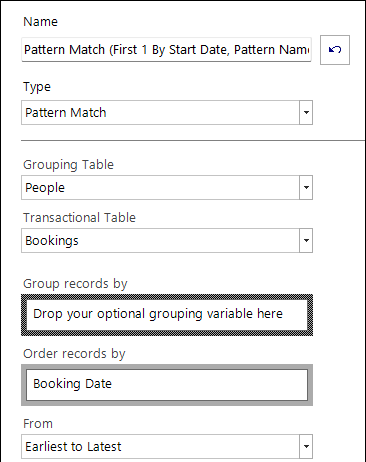
 - In the Type drop down select Pattern Match.
- Set the Grouping Table to People and Transactional Table to Bookings.
-
Drag the Booking Date variable onto the Order records by drop-box and leave the From as Earliest to Latest
-
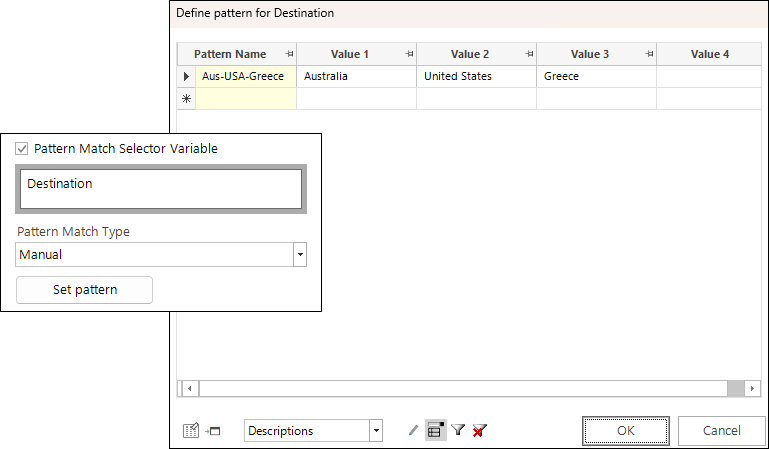
Select Pattern Match Selector Variable then drag Destination onto the pattern match variable drop-box.
- Leave the Pattern Match Type as Manual and click Set pattern.
-
Define your pattern match sequence as follows and click OK:
-
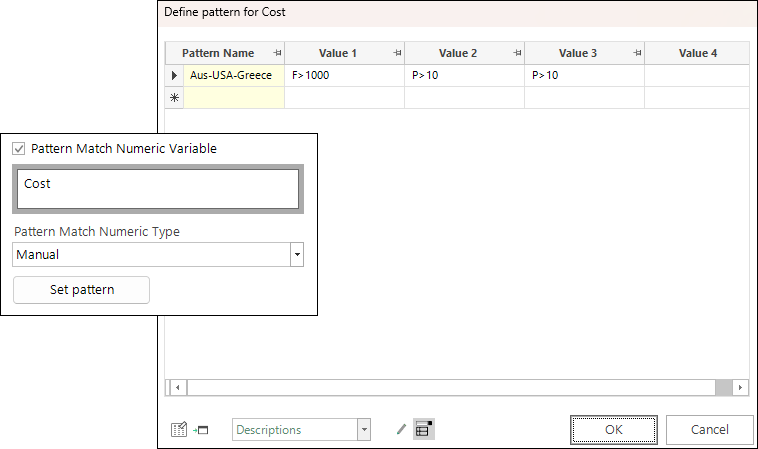
Select Pattern Match Numeric Variable then drag Cost onto the pattern numeric variable drop-box.
- Leave the Pattern Match Type as Manual and click Set pattern.
-
Define your pattern match sequence as follows and click OK:
Note
The pattern name of the numeric value must exactly match that used for the selector.
-
From the Return the drop-down, select Pattern Name.
Note
For more on the pattern elements you can include when creating sequences on selector and numeric variables see Sequence Analysis Wizard.
-
Name the expression - e.g. AusUSAGreece_PatternName
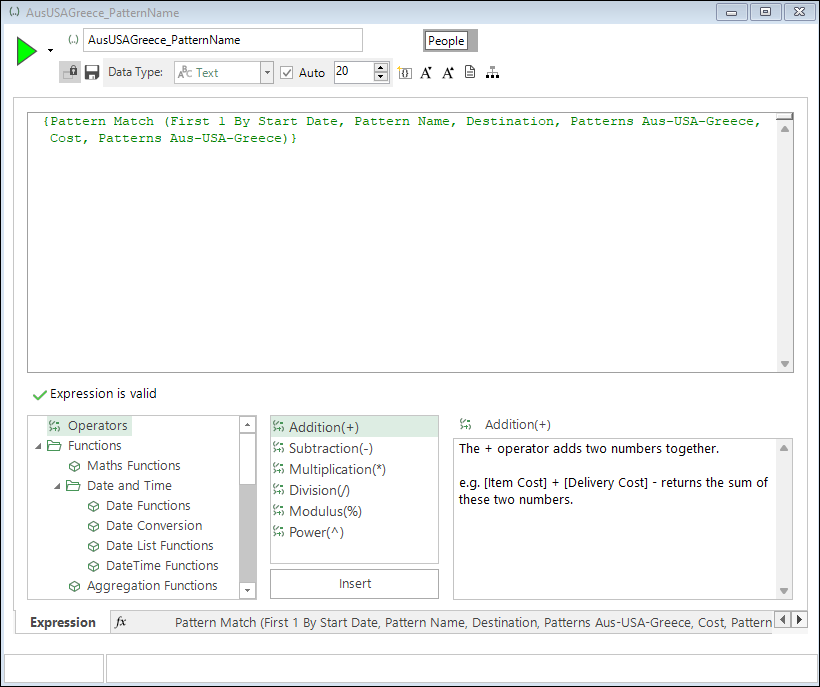
You can now use the pattern match expression to continue your analysis. For example:
-
Drag and drop the expression onto a new People level selection and enter the pattern Aus-USA-Greece.
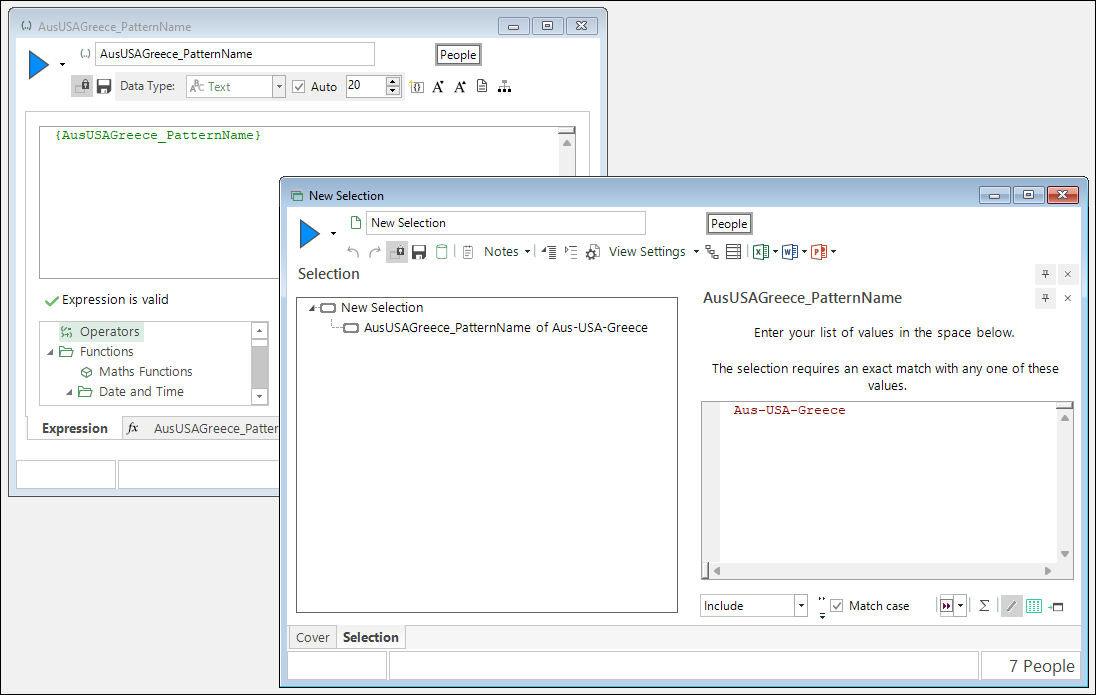
Building the selection returns a count of 7 people who currently match the defined pattern
-
Drop a data grid onto the selection and add Booking Date, Destination and Cost.
- Group by Person URN and build.
-
Sort into ascending order by booking date.
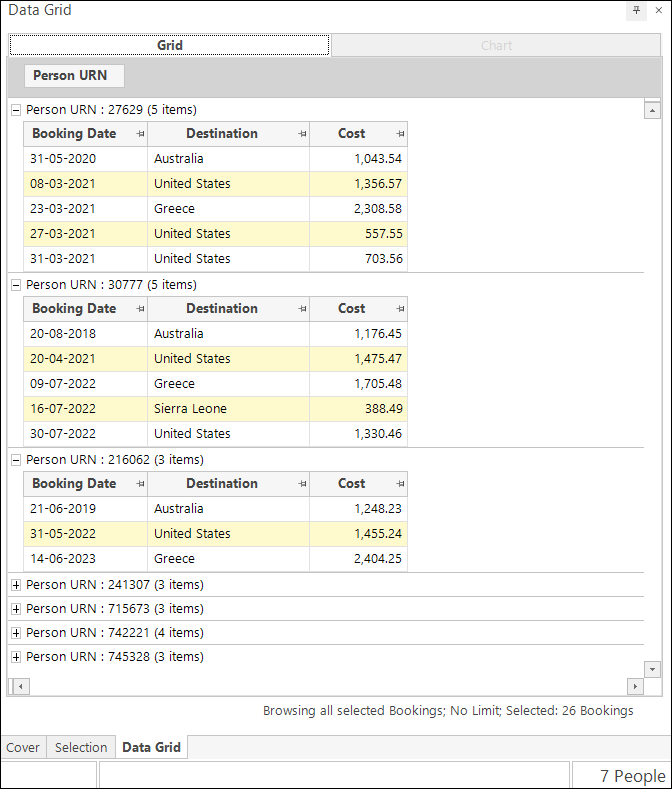
You can see that each person satisfies the pattern by:
- Having a sequence of bookings that is Australia followed by the United States and then Greece;
- The cost of the Australian booking being more than £1000;
- The cost of the US booking being more than 10% higher than the Australian booking;
- The cost of the Greece booking being more than 10% higher than the US booking,